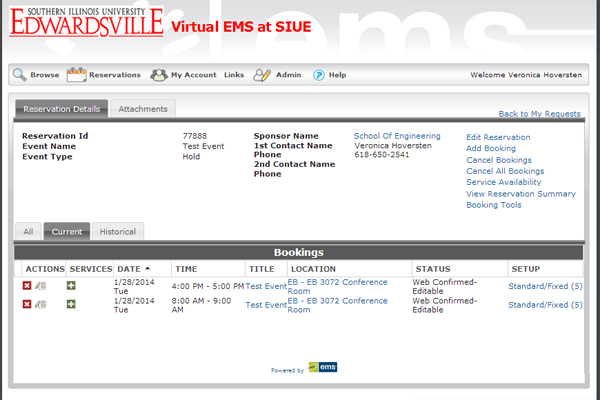
The Basics - Changing or Deleting Your Event
The top information is for the whole event. To edit event information, click "Edit Reservation."
You might want to edit an event by changing the type of event (ex. Hold changes to Meeting). You might want to change or add a sponsor, or you might want to cancel all the bookings.