Advanced - Delegates
Name a Delegate
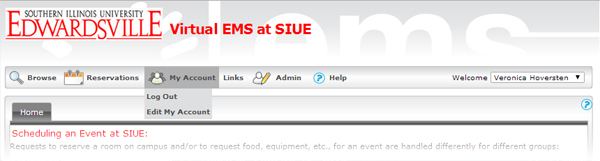
If you want to designate someone to be your delegate, log in, and then click on "Edit Account"
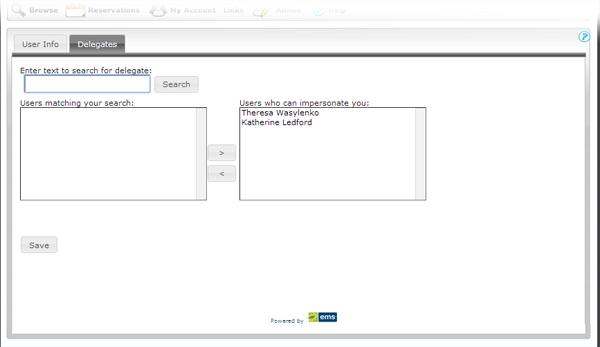
This will bring up the account information screen with two tabs, "User Info" and "Delegates." Click on "Delegates." From here, enter your delegate's name in the search box. Matching results will appear in the box below. Select a user in this box, then click on the ">" arrow to move the name to the box on the right. Click "Save." These people can now sign on as you and view and edit your events.
Use Delegation
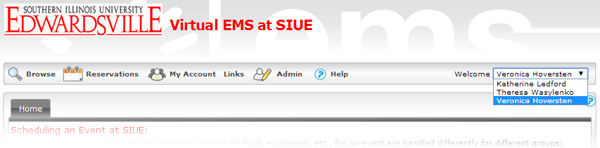
Back to the logon screen, before you click on anything else, check out the far right of the menu bar where your name is listed. Right now, that area is a drop-down box. (Once you begin to interact with VEMS, the system assumes you choose to do so as yourself, unless you specify otherwise.) If you have been listed as someone's delegate, you can choose that name from the drop-down menu and interact with VEMS as if you were that person.