



ITSpotlight is designed to keep the campus up to date on ITS activities and services.
How to: Adding your SIUE email account to your iPhone
Posted December 11, 2019
By Emily Macios
Need help adding your SIUE email account to your iPhone? Look no further....here are detailed instructions (including screenshots!).
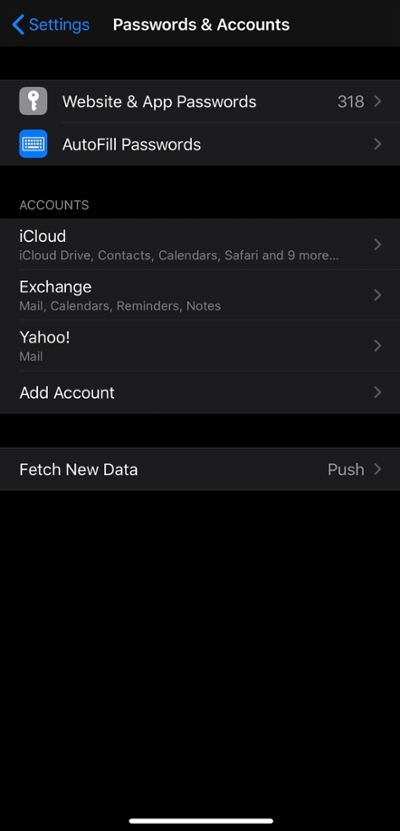
Go to Settings, then go to Passwords & Accounts
Under Accounts, choose Add Account
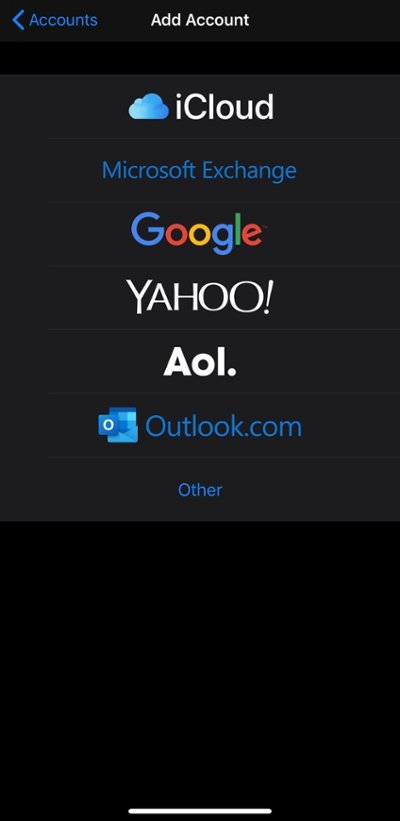
Choose Microsoft Exchange
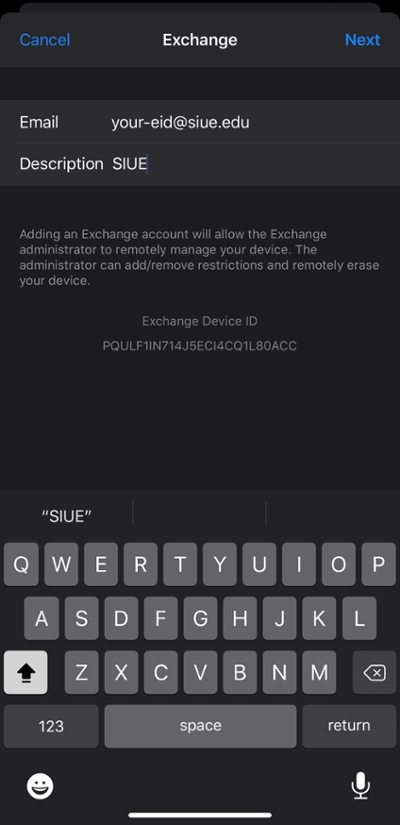
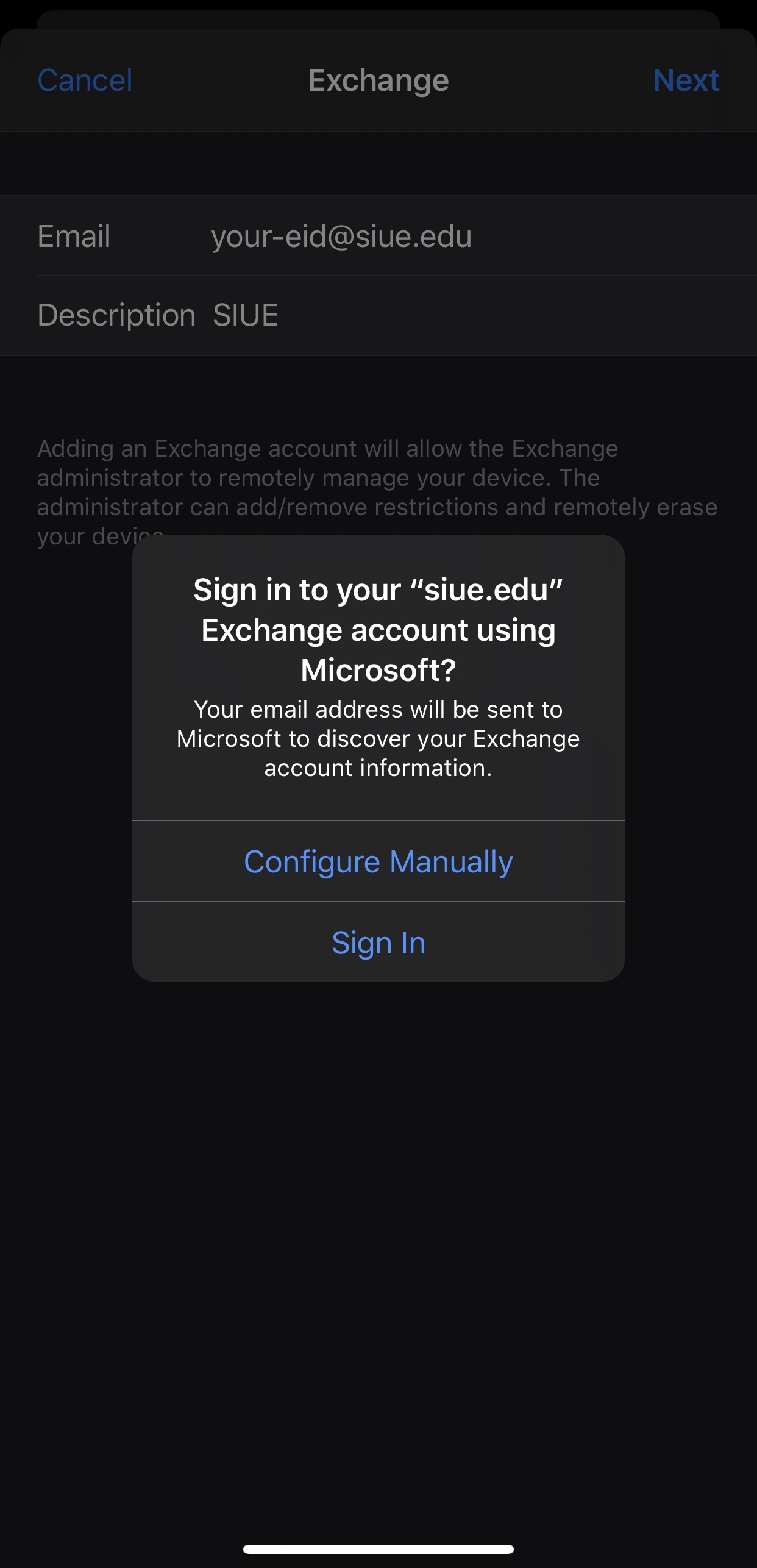
Type your SIUE email address and a description (i.e. SIUE)
Tap Sign In
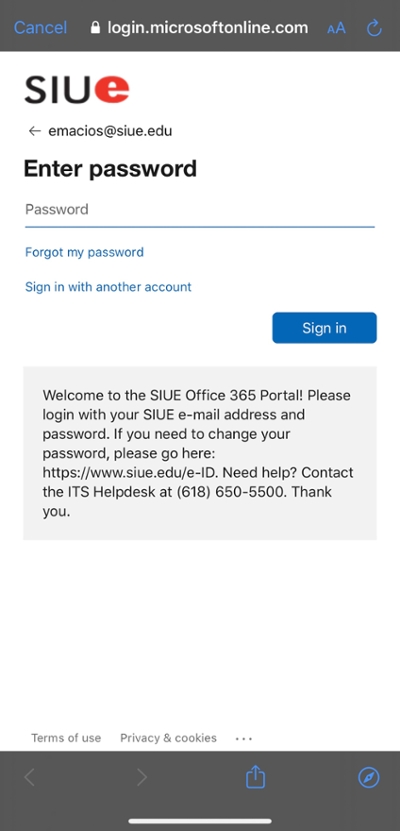
Enter your password and tap Sign In
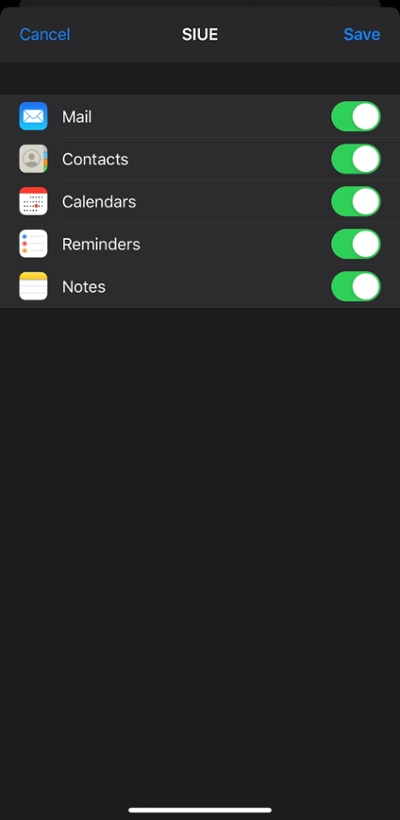
Choose if you want to sync mail, contacts, calendars, reminders, and notes. Tap Save
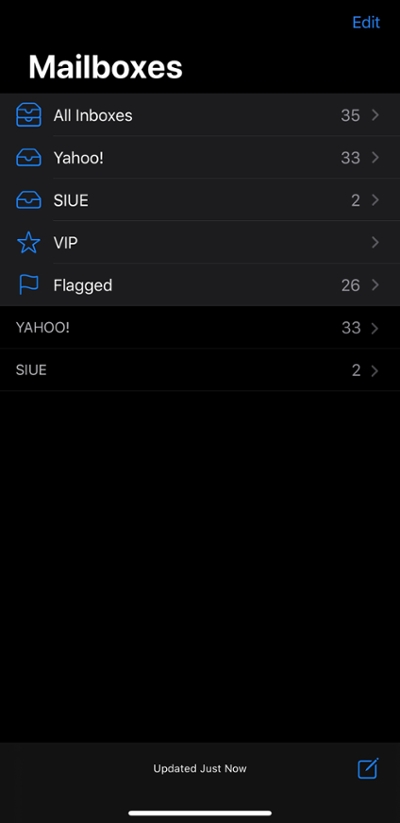
Now open your Mail app and voila...there's your SIUE email account!