






Websafe VPN
Websafe VPN grants authorized SIUE users the ability to access the University's systems (your desktop) from off-campus.
Getting Started with Websafe VPN (First-time Users)
- Please complete the Work From Home VPN Access Request
- For Mac Users: On the VPN Remote Access Request, please include your IP and MAC address.
(How-to instructions here: http://www.siue.edu/its/vpn/vpn_macos_help.shtml)
- For Mac Users: On the VPN Remote Access Request, please include your IP and MAC address.
- Download and install the Pulse Secure application located below.
Logging into Websafe VPN
- Open your browser.
- Go to URL: https://websafe.siue.edu
- Enter your e-ID and password.
- A 'Loading Components' screen will appear.
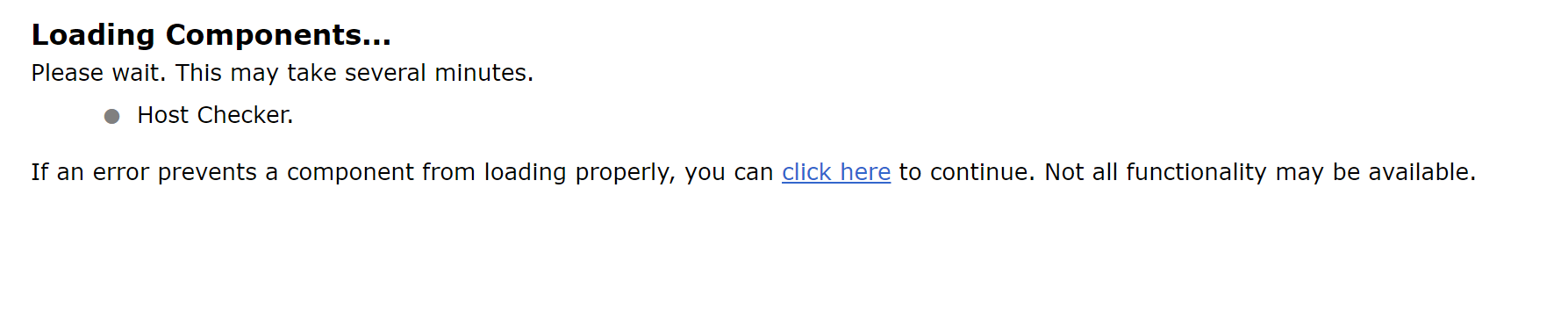
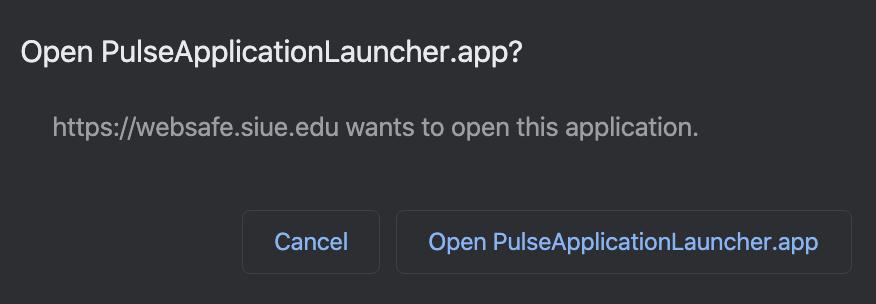
- Click 'Open PulseSecureApplicationLauncher'.
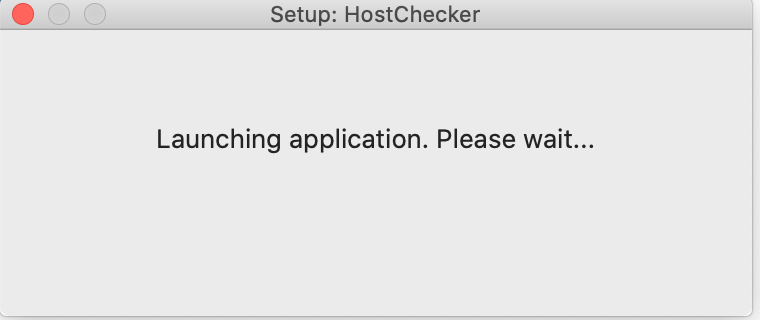
- The Pulse Application Launcher may take a few seconds to connect.
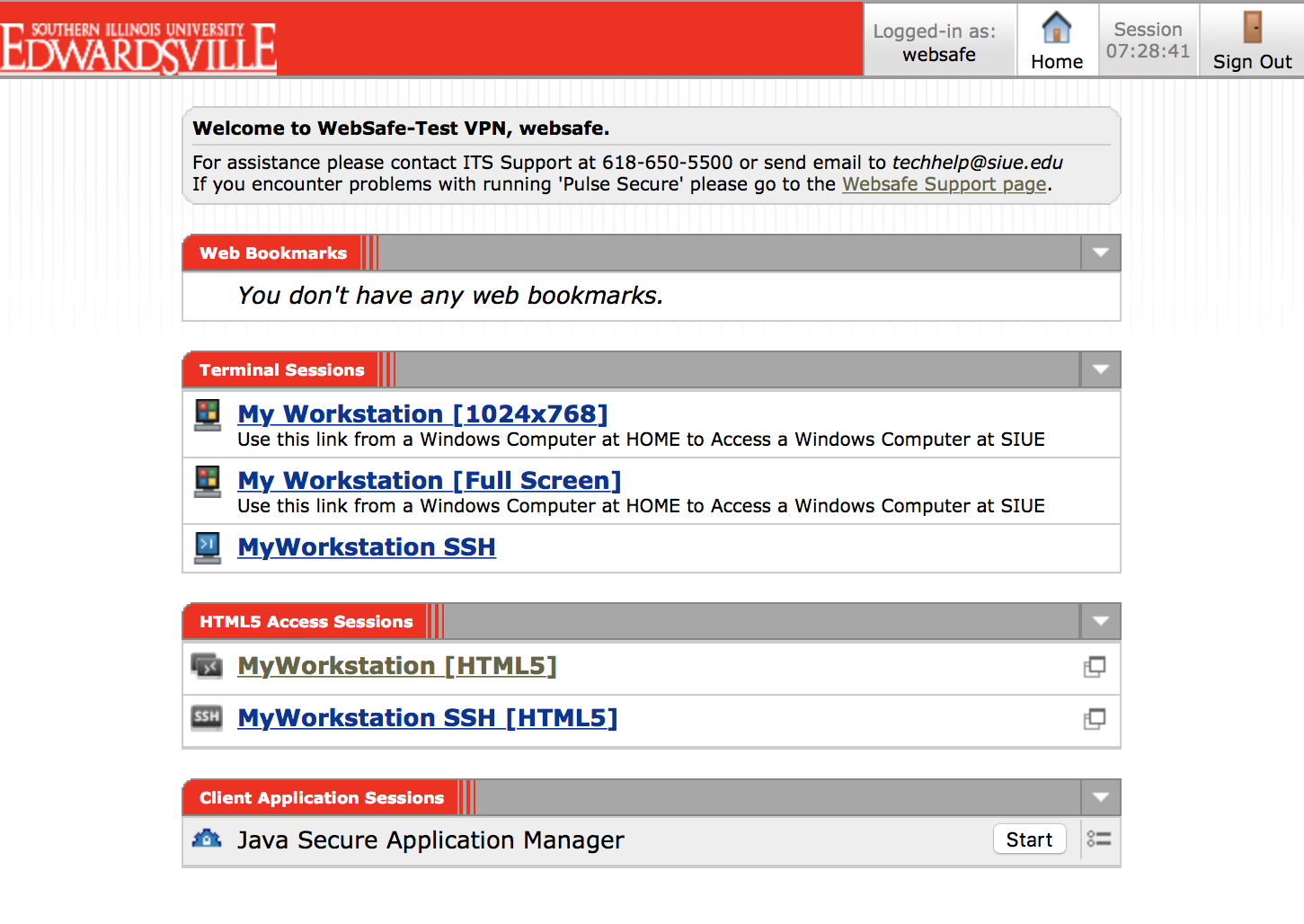
- Websafe VPN is now ready to use. Click on Terminal Session My Workstation [Full Screen] or My Workstation [HTML5] links to open your SIUE computer in a new window or a Web Bookmark to use an SIUE application.
- Note for Terminal Sessions: Your SIUE work computer must be powered on and locked.
- Note for Terminal Sessions: Your SIUE work computer must be powered on and locked.
What is Ivanti Secure Access?
- Pulse Application Launcher is an application that allows access to your computer from a remote location and needed for all users of Websafe VPN.
- Host Checker will run on your local computer to make sure it is able to run the VPN. Also, it will check OS, Antivirus, etc are up to date.
- Ivanti Secure Access Client needs to be running to access certain applications within Websafe. Ivanti Secure Access Client is not needed for most Websafe VPN users. If you experience problems running or installing Ivanti Secure Access Client from the Websafe VPN site you may download below.
|
Click the links below to download the relevant version of the Pulse Secure Software.
|
||
 Macintosh |
||

Note: You must be running a current version of anti-virus software, otherwise you may be limited in your VPN connection.
Instructions for Exception Site List in Java version 7 Update 51 or newer.
| Supported Operating Systems | Supported Web Browsers |
| Windows 10 |
Internet Explorer |
| MacOS 13 "Ventura" MacOS 12 "Monterey" MacOS 11 "Big Sur" |
Safari 16.0 |
| Please Note: Windows 7 and Windows 8 or 8.1 are no longer supported for Websafe VPN access. | |
Linux Users
- RPM and DEB downloads.
- RPM (RedHat Package Manager) is a package format for installing, uninstalling, and managing software packages in Linux.
- DEB is the installation package format for other Linux systems.
Two-Factor Authentication:
- If the device linked to your two-factor authentication (multi-factor authentication-mfa) is lost or stolen, please contact the ITS Help Desk immediately to delete the device from your account: (618) 650-5500 or help@siue.edu
Knowledge Base
Search the ITS KnowledgeBase for answers to frequently asked questions.
For more information or questions about accessing Websafe VPN contact the ITS help desk at (618) 650-5500 or help@siue.edu.


