Joshua Marshall
Uses a broad range of media and
other tools to effectively and appropriately create interactive learning
environments and/or compose, develop, and revise materials to promote
efficiency in human performance or learning.
Before I began this program, my knowledge and abilities with
production tools did not extend far beyond Microsoft Office. In
the past year, however, I have learned how to use web development
software such Expression Web 4 (which was used for this site),
Dreamweaver, and Nvu. I have also learned media tools like Adobe Flash,
and Adobe Illustrator as well as utility programs meant to aid in the
development of materials.
Learning each of these tools has been difficult, although some
were easier than others. The most difficult were the Adobe
products: Flash, Dreamweaver, and Illustrator. In my opinion,
those programs are not very intuitive for the user and have a steep
learning curve. During Design Studio 1, I learned how to use Flash
and I developed an animated slide
show
that I had intended on using for a website I was working on.
Although it may seem straightforward, learning how to use the time line
for the animation as well as the fade in/fade out functions were quite
difficult. I was also discouraged by the fact that common
commands, such as Ctrl+C to copy, would not work with the program.
At the end, however, I did manage to create something that was pleasing.
For Dr. Nelson's IT 580 class,
I used Illustrator to create a graphical
representation of a mash up between user experience design and
learner experience design. This small project was much easier than
working with Flash, due in part because of my experience in working with
other graphics programs like GIMP and Photoshop.
In Dr. Thomeczek's web design for instruction, I learned the
basics of web design. I have learned much in that area since, and
have moved from very simple design tools like FrontPage and Nvu to more
sophisticated programs. I used Microsoft's Expression Web 4 in
creating this site as well as a
site
for a soon to open charter school. I made good use of the concepts
I learned in IT 486, such as striving for simplicity and making use of
negative space to develop a pleasing design. The purpose of the
site is to inform people about the school, as well as give updates on
the progress of the school's opening.
This site, although simple in appearance, does contain some
clever coding. For example, on this
page, you can see
the guiding principles of the school. With each principle is a
short paragraph describing what it means to South City Prep. As I
was building the site, I realized that having a "wall of text" with a
paragraph for each principle would be very unattractive. I did
some research and I found a snippet of Java code that would allow me to
hide the text when it was clicked on. However, I needed to have
the text already hidden and then be exposed when clicked. This
required me to modify the code, which required even more research.
I was able to do it, and I think it works pretty well in making the site
aesthetically pleasing. I used the same coding to get a similar
effect on the page
that highlights the school board members.
I also used Google docs to create an
enrollment
form which I then embedded into the site. I also programmed it so
that once the "Submit" button is hit, the completed form would be
automatically forwarded to the school director's email account. In
creating the site I also added quick links to the social networking
pages, such as Facebook and Twitter, as well as a button that would let
people donate money to the school through their PayPal accounts.
In Dr. Nelson's class, Managing Instructional Development, I had
the chance to use project management tools such as
OpenProj and
LiquidPlanner.
OpenProj is a freeware program that resembles Microsoft project.
Considering that it is freeware, it is actually very powerful, and I was
able to use it to create Gantt charts, prioritize project elements,
create dependencies among each element and so on. In this
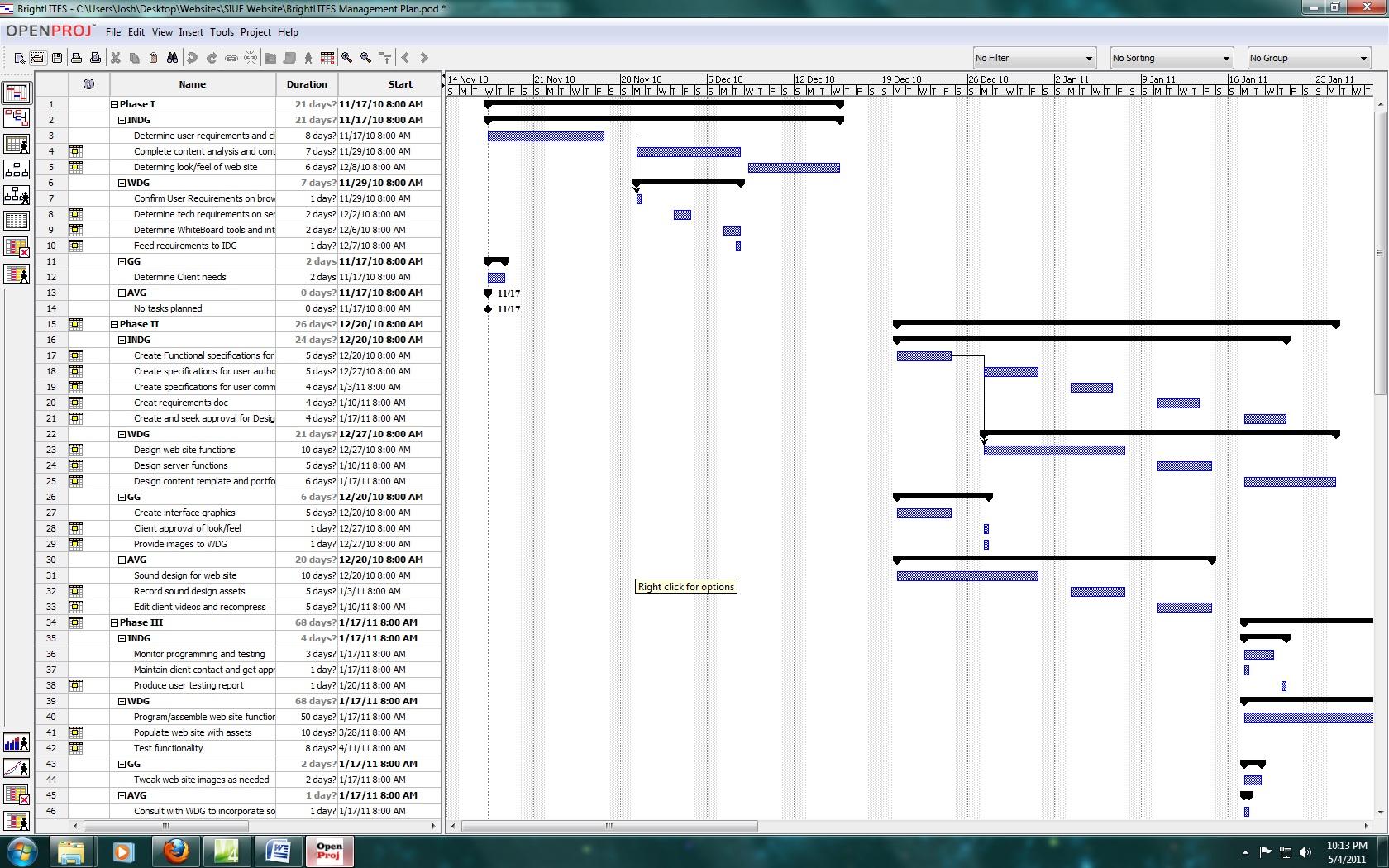
project, I used OpenProj to manage a simulated software development.
In this JPEG
image, you can see how I used the tool keep track of each part of
the simulated development. Because I had put the time into making
a thorough management plan, the simulation ran by Dr. Nelson went
without any major problems and I was able to keep track of each
development team and keep track of their deliverables. Here is the
associated
proposal for this project. During a recent visit to the
Federal Reserve Bank in St. Louis, many of the instructional designers
commented that they do most of their own project management, so being
able to use a tool like OpenProj will certainly serve me well in the
future.