|
|
One item that I consider a must (if funds allow). Is a Smartboard by Smart Technologies. I not only use my Smartboard to show students things from my computer, show DVD's, and etc., I also use the Smart Notebook Software provided with the Smartboard hardware. The Smart Notebook (currently version 10) has many features and tools for teachers to use to create "extraordinary moments" in the classroom.
Tools (from left to right) Selection Tool - This tool allows you to select content and move it from place to place
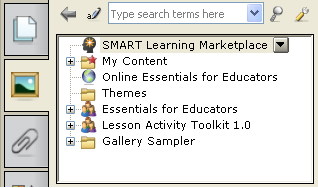
The greatest value in my opinion with the Smart Notebook is the vast content that you can use in your presentations. By updating your software, you will get content that is provided by Smart Technologies. The pieces of content are categorized by content areas. You also have the capability of adding your own content to be saved within your own folder in the Notebook software. The Smart Notebook recognizes many universal file types (pictures, video, and sound). If there is a file that you use that isn't recognized by the software, you can link your content to your notebook page.
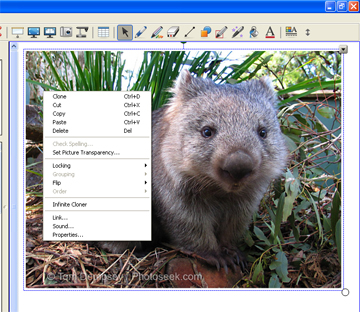
Some of the other things that make the Smart Notebook a "must have" is your ability to dictate how you want your content to appear. You have the capability to lock your content in place, group it with other items, and select the layer order. It is also possible to "Infinitely Clone" your content.
|
|
Webmaster Email: Scott Hudson last updated: 4/24/08 icons created from images at:http://www.dezinerfolio.com/wp-content/uploads/2007/04/badges.jpg |