
 |
 |
 |
 |
 |
 |
Blog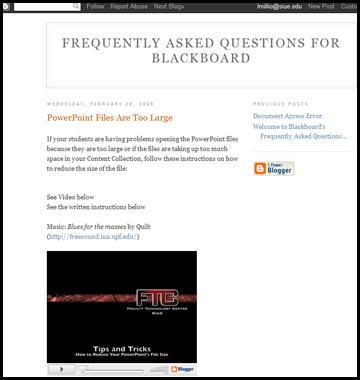
A blog is a combination of the words Web-log. Blogging is commonly used as journaling software where you can post text, pictures and files. Blogs are a convenient way to add video but also include text for instructions or discussion questions. Students can subscribe to this blog via RSS feed (see below) to receive any new updates or postings that you produce.
This example is distributing a lecture video via a blog. In this example, there is a short description of the video, the video (and credits for the music), printed instructions and contact information.
Wimba
Wimba Live Classroom and Voice Tools is a software built into Blackboard. The files are created within Blackboard and distributed within Blackboard. See the Wimba page for more details: Live Classroom & Voice Tools
Log into Blackboard using wimba as both the username and password.
Click on the Wimba Demonstration link to access the Wimba Blackboard Course Shell.
Click on Class Examples link in the red Course Menu to the left.
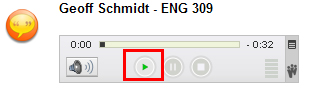
For the Voice Tools link, you will need headphones or speakers. Click on the green "play" arrow to hear the recording.
For the Live Classroom link, it is strongly suggested that you run the Setup Wizard before listening to the lecture to ensure that you have the proper settings for your computer.

Examples include recorded lectures, class discussions, exam reviews, guest lectures.

RSS feed
RSS stands for Real Simple Syndication. You subscribe to an audio or video file much like you subscribe to a magazine. When the next file is published, you receive the file in the RSS reader software such as Yahoo.
Feed Creator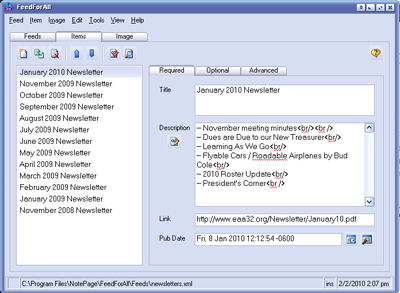
To create your own RSS feed, you will need an RSS feed creator such as Feed For All. With a feed creator, you link to your existing content files and create an .xml file. The .xml file, as well as the associated files are uploaded to a web site such as your SIUE personal web site. (www.siue.edu/~youreid). When you create new files, return to the feed creator and add them to the .xml file. Publish the new files and the new .xml file and the students that have subscribed to your feed will automatically receive the files.
Feed Reader
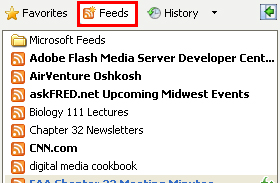
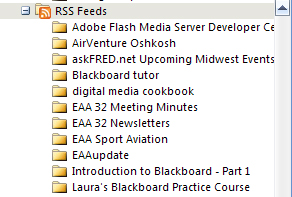
Students then subscribe to your RSS feed using an aggregate such as "Favorites" in Internet Explorer or Microsoft Outlook or web sources such as Yahoo or Goggle. Please see the Help section in these sites for an explanation of use.
 |
 |
Feed Reader in Internet Explorer |
Feed Reader in Microsoft Outlook |
SIUE does not have feed creator software available for faculty use at this time. Please refer the software's webpage or help menu for technical assistance.
For questions or more information, please contact Laura Million at 618-650-5500 or email me at lmillio@siue.edu
Copyright © 2010 - Laura Million
Last Updated: