






|
IT 486 Carrie Fischer |
|
Google Earth Tutorial |
|
Google Earth |
|
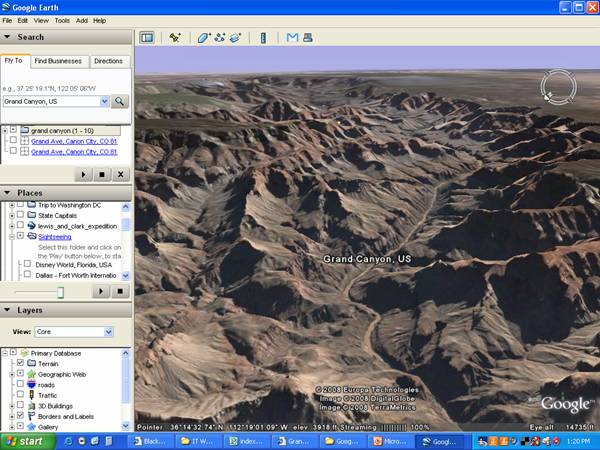
Fly To Panel —You can type in a full address or a city or state. Places Panel— You can create folders and create a tour. Or take the Google Earth Sightseeing Tour. Layers Panel — By selecting different layers you can see things like the terrain in 3-D, State Lines, Highways, 3-D buildings or different landmarks. |
Navigating Google Earth
|
|
PANELS |




|
Watch the video to learn how to fly somewhere. |
|
Watch the movie to find out how to find a business. |
|
Watch the movie on how to get driving directions. |
|
Under layers you can see buildings in 3-D. Watch this movie to see how. |
|
Watch the movie to see how to turn on layers. |
|
Author: Carrie Fischer School: Southern Illinois University Edwardsville Date Last Modified : All screen shots on this website are taken from Google Earth. |