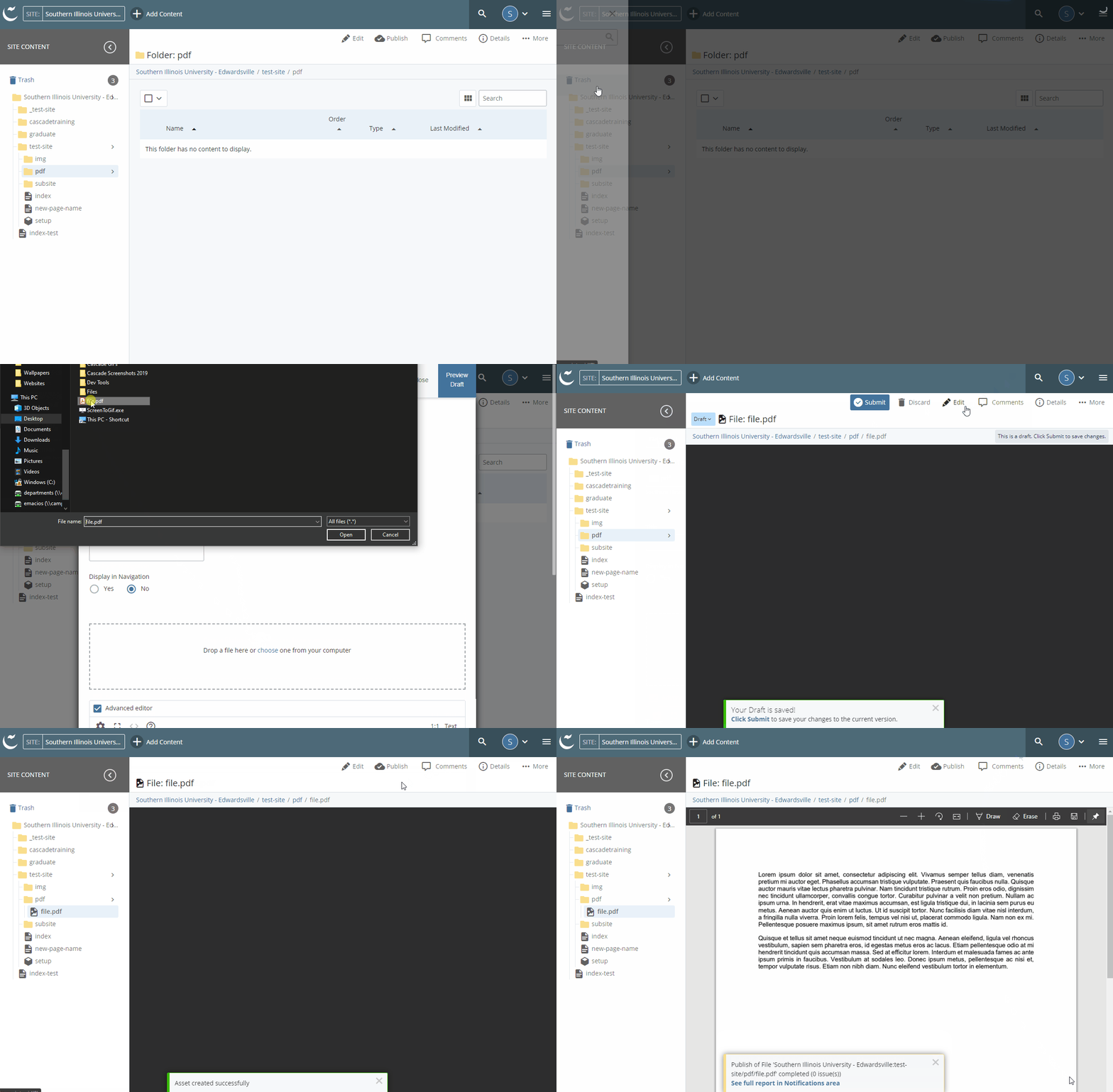
Import a File
Note: A file consists of an image, pdf, word, excel, video file, etc.
- Select the folder location (pdf or img) by clicking the arrow next to it
- Click Add Content
- Click Default
- Click File
- Click ‘Drop files here or choose one from your computer’
- Browse and select file from your local drive
- Click Preview Draft
- Click Submit
- Click Check Content & Submit
- Click the highlighted checkmark
- Click Publish
- Click Publish
**IMPORTANT:
- When importing an image, make sure to resize/resample image BEFORE importing into Cascade.
- Max width for an image in the body of a 2-column page is 700px wide.
- Max width for an image in the body of a 3-column page is 525px wide.
- Page Name field: Do NOT enter anything in this field (Cascade will automatically use the name of the file for the system name)