






Laptop Connections
In some of the studios and smaller classrooms on campus ITS provides a projector, speakers, and connections for a laptop, rather than a full podium. Below are instructions for using this equipment, as it differs slightly from the traditional smart classrooms.
Control Panel
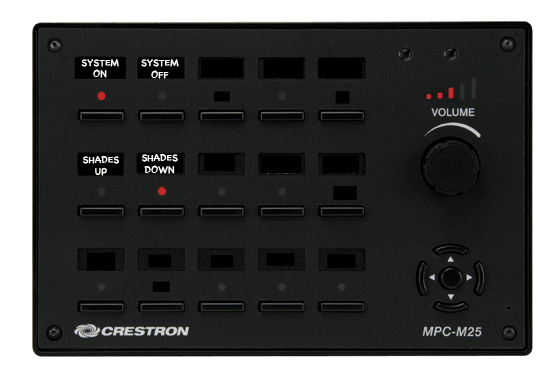
The control panel pictured above is primarily used to turn the projection system on and off. It also offers volume control and, in some cases, operates window blinds, lighting, and other items in the classroom.
Input Panel
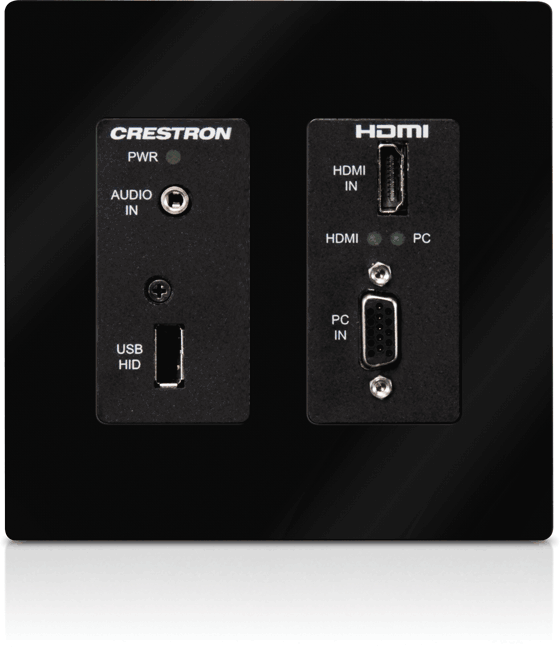
The input panel accepts a connection from any laptop, phone or tablet that offers VGA or HDMI output capabilities. It also offers a 3.5mm stereo input jack for audio connection to just about any device.
Connecting a Laptop
There are a number of devices that can be connected to this type of system, a laptop is the most common, so we'll use that as our example.
- Connect your laptop using a VGA or HDMI cable to the input panel. If you want to use audio, you will also want to connect a standard stereo cable as well.
- Press the "System On" button on the control panel. If you have electric blinds in the room, you may also want to press the "Shades Down" button to darken the room.
- When the projector warms up, you should see your computer on the screen. You can control the volume using the volume knob on the control panel.
- When you are finished, you can turn the system off by pressing the "System Off" button.


